

Pipeline Configuration
The hiring pipeline defines the steps every candidate goes through after applying to a job. When a candidate applies, they follow the steps you’ve configured — your team evaluates them at each stage.
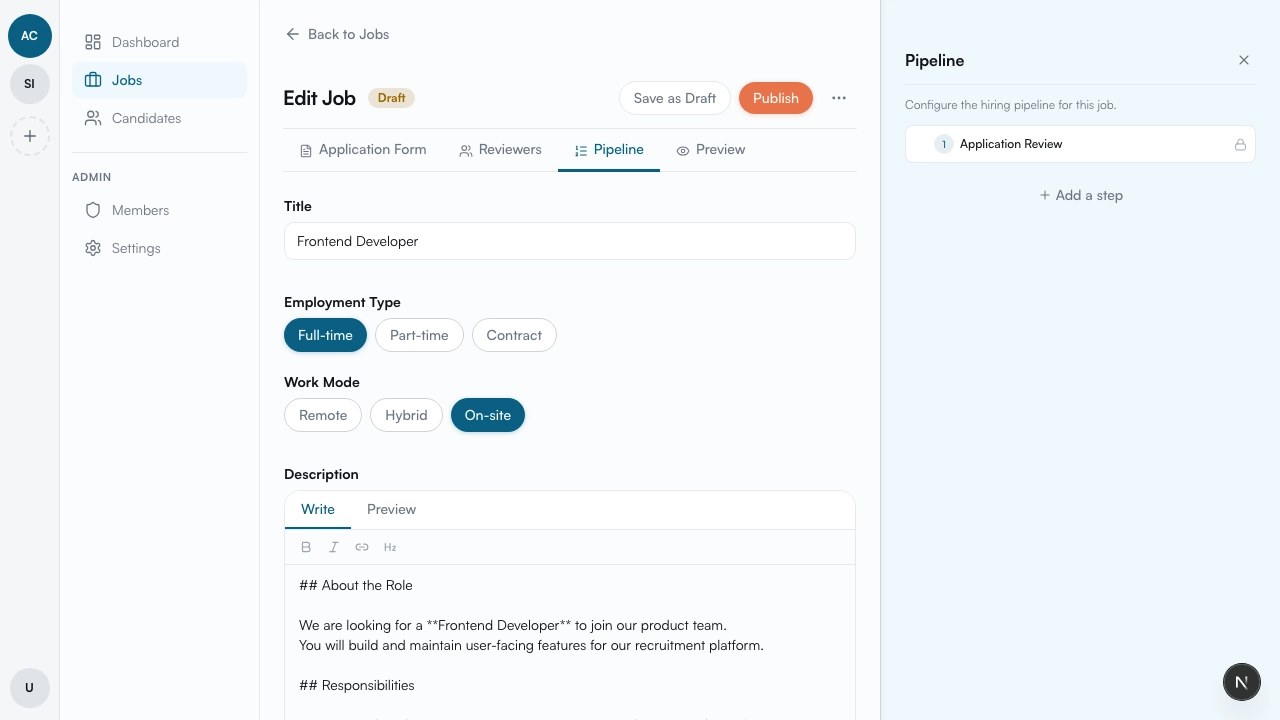
Default step
Section titled “Default step”Every new job comes with one default step:
- Application Review — review the information the candidate submitted through the application form (name, email, CV, answers to questions, etc.)
This step cannot be removed — it’s the starting point of every pipeline.
Interview step
Section titled “Interview step”On the job edit page, click the Pipeline button. A panel opens where you can add an Interview step to the pipeline.
The interview step follows this flow:
- Schedule the interview — set the date and time
- Email notification — an email is automatically sent to all assigned reviewers and the applicant with the interview details
- Evaluation — after the interview, reviewers evaluate the candidate
- Notes — reviewers can leave notes during or after the evaluation
More step types
Section titled “More step types”Application Review and Interview are just the starting points. More step types are available and we’re actively adding new ones. We can also create custom steps tailored to your hiring process — including integrations with tools like Google Meet, calendar services, or any other platform your team uses. Reach out to us and we’ll set up exactly what you need.
How the pipeline works
Section titled “How the pipeline works”When a candidate applies to a job, they automatically enter the first step of the pipeline. Your team evaluates them at each step and moves them forward when they’re ready for the next stage.
| Step | What happens |
|---|---|
| Application Review | Review data from the application form — name, email, CV, answers |
| Interview | Schedule a meeting, notify everyone by email, then evaluate the candidate |
Updating the pipeline
Section titled “Updating the pipeline”You can add, remove, or reorder steps at any time — even after the job is published. Changes only apply to new candidates. Existing candidates stay on whatever step they’re currently at and continue through the pipeline as it was when they applied.
What’s next
Section titled “What’s next”Once the pipeline is set up, assign reviewers — read Reviewers.